My kind of play is fixing stuff. I would not mind spending a lot of time figuring out how something works and see what can I do about it.
There’s this broken router that can’t boot due to corrupted firmware. Searching online, the solution was only to pry it open and connect to it via serial. Stop the boot process and upload a new firmware using TFTP.
The hardest part was finding USB to UART (Serial TTL) Converter. I found e-gizmo shop just at Taft Ave, Manila selling one.
I also have no idea how to solder, I just asked our electrician friend to do it for me.
Once everything is prepared. The whole process sums up to:
Download the following
- Firmware you want to use (stock, tomato, ddwrt)
- TFTP Client
- PuTTY
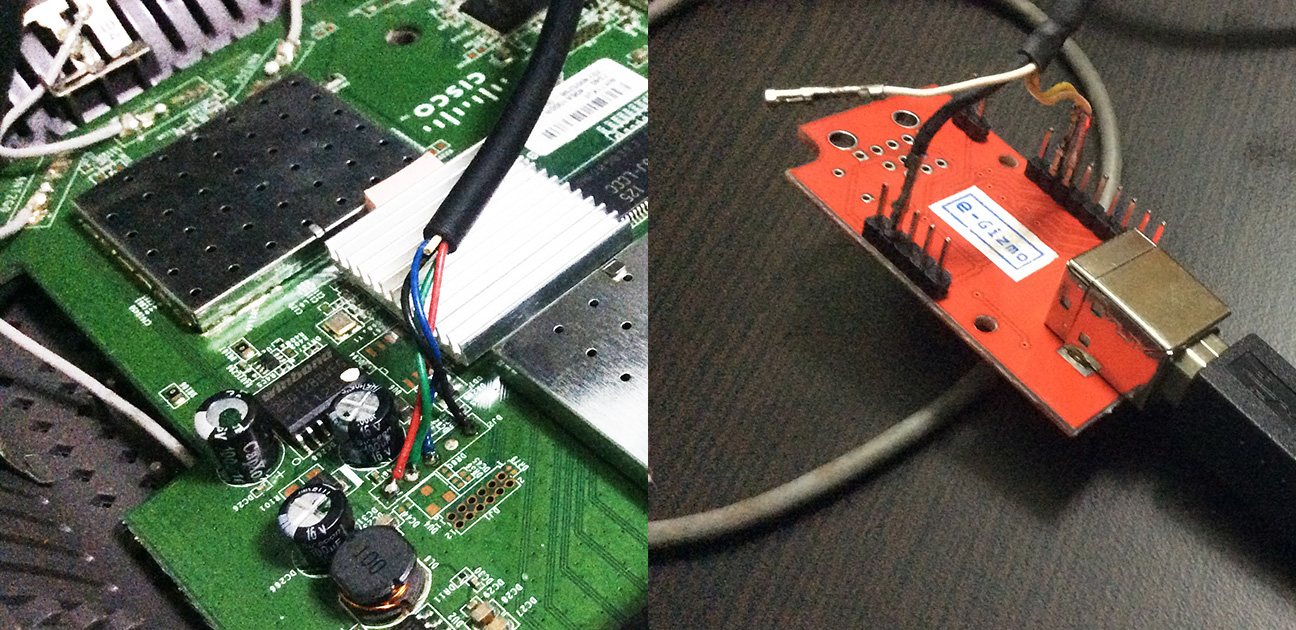
Connect USB to UART Converter to the router’s serial interface.
Only GND RX TX needs to be connected. Router’s RX goes to converter’s TX. Port information are available at OpenWrt’s wiki.
Connect PC LAN to router.
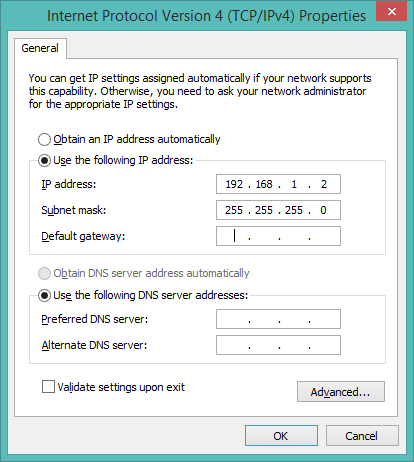
Configure PC’s static IP address to 192.168.1.2 with subnet 255.255.255.0
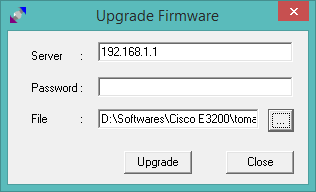
Prepare TFTP Client
But do press the Upgrade button yet.
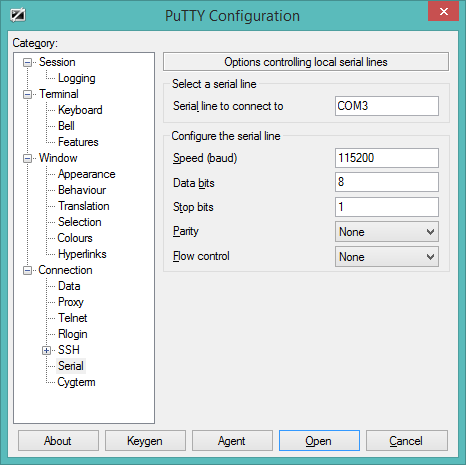
Configure PuTTY.
Make sure the serial line is correct. You can see it in the Device Manager.
Speed: 115200, Data bits: 8, Stop bits: 1, Parity: None, Flow control: None
Plug the router and press Ctrl + C as the router is starting up.
You should get a CFE> prompt.
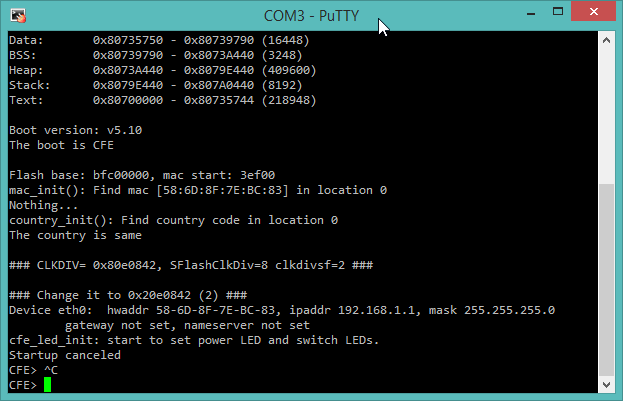
Type these commands
CFE> nvram erase
CFE> flash -ctheader : flash1.trx (Press updrage in TFTP client right after this one)
CFE> go
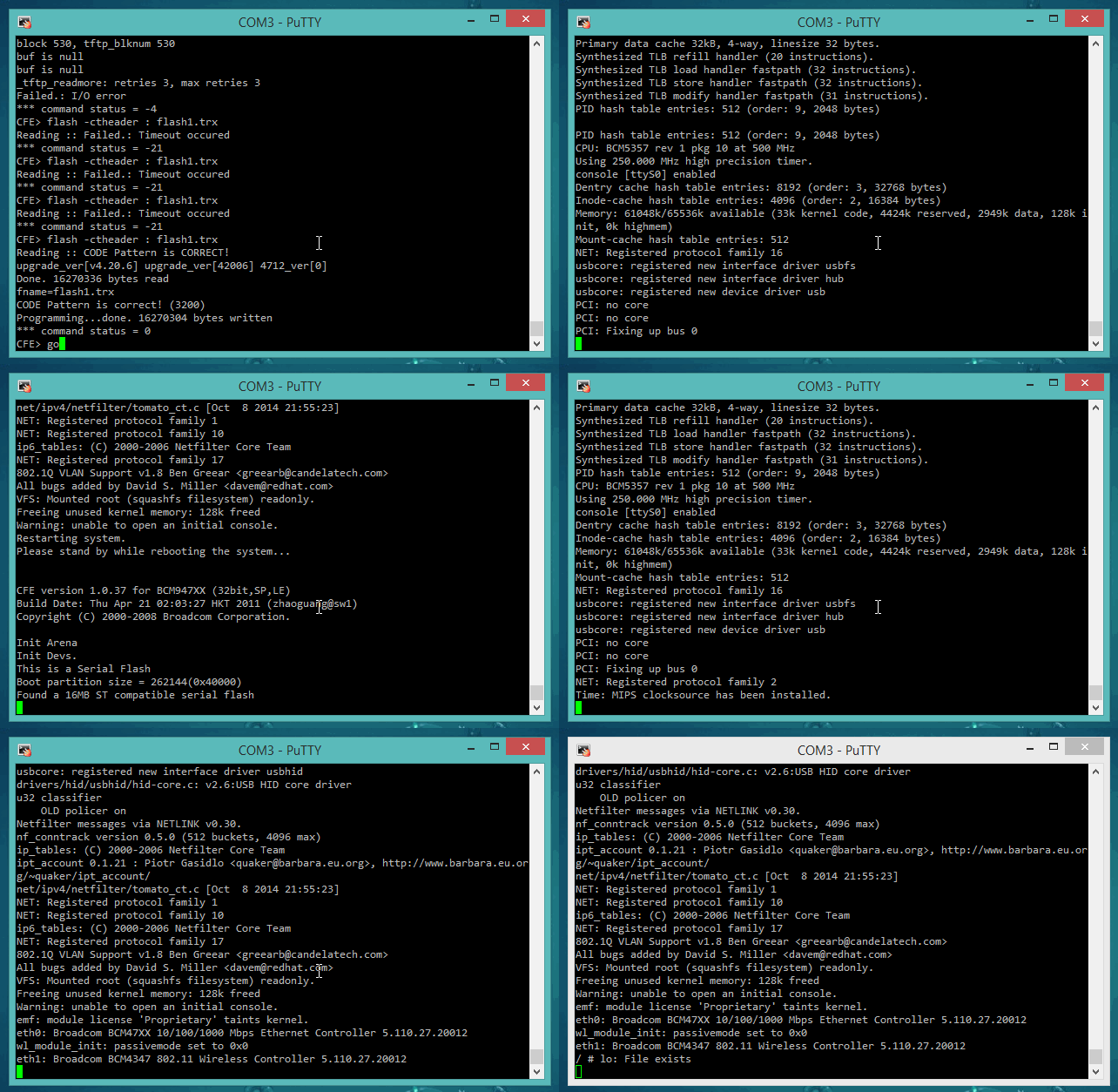
Visit http://192.168.1.1 in your browser.
After the process is done.
![2014-10-15 03_31_17-[TomatoUSB] Status_ Overview](https://2014.jerico.ph/wp-content/uploads/2014/10/2014-10-15-03_31_17-TomatoUSB-Status_-Overview1.png)
And it’s workingggg! Haha fun stuff.
Helpful links: